May 5, 2026

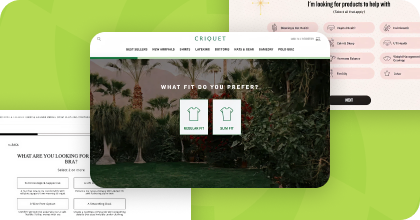
Build Your Own Product Quiz For Free Right Now
Simply give us your website URL and we will build you a completely on-brand product recommendation quiz for free.
Your website’s best sales rep isn’t always a person — it’s often a well-timed, personalized pop-up. When done right, pop-ups don’t interrupt the experience; they improve it. They help shoppers find what they’re looking for faster, surface relevant offers, and guide decisions in real time.
The hesitation around pop-ups usually comes from poor execution. But when they’re thoughtfully designed, they become one of the most effective tools for conversion optimization.
This guide breaks down how to use pop-ups strategically, what actually works today, and how Digioh helps you create high-performing experiences that drive measurable results.
.webp)
Before we get into the benefits, let’s address the real question: are pop-ups still effective in 2026? The answer is yes when they’re used strategically.
The concern isn’t the format; it’s the execution. Poorly timed, generic pop-ups interrupt. But well-timed, personalized experiences guide users forward without friction. In fact, modern pop-ups can increase conversions while improving the overall user experience, especially for ecommerce brands that rely on relevance to drive action.
Are websites with targeted popups safe? Absolutely. Reputable pop-up tools like Digioh follow strict security protocols and privacy regulations. The key is to use a trusted solution and prioritize user experience and security.
Pop-ups aren’t about grabbing attention for the sake of it; they’re about creating relevance at the right moment. For ecommerce brands operating in crowded environments, that timing is what makes the difference. A well-executed pop-up meets visitors where they are, helping them take the next step with confidence instead of leaving them to figure it out on their own.
That comes down to targeting.
Modern pop-ups don’t fire randomly; they respond to behavior. Exit intent captures visitors who are about to leave. On-site engagement triggers reach users who are actively browsing. With flexible templates and intuitive builders, marketing teams can align every experience to a specific goal, ensuring each pop-up fits into the broader strategy rather than interrupting it.
The experience itself matters just as much as the trigger. Interactive formats like spin-to-win, countdown timers, and guided recommendations create a reason to engage. New visitors can be welcomed with a clear entry point, while returning customers see messaging that reflects what you already know about them. Each interaction becomes more relevant (and more effective) over time.
When used strategically, website popups do more than capture leads.
They reduce friction across the customer journey, support conversion at key moments, and reinforce the overall brand experience. For ecommerce brands, the impact isn’t just higher conversion rates; it’s a more connected, data-informed approach to every touchpoint.
One of the main benefits of pop-ups is that they can capture leads efficiently.
A well-designed sign-up form can turn casual website visitors into subscribers, grow your email list, and create opportunities for ongoing engagement. By offering a valuable lead magnet in exchange for contact information, you can dramatically improve conversion rates and customer lifetime value.
What’s the #1 reason to use pop-ups? To turn casual visitors into high-intent leads with personalized offers delivered at the right moment. Pop-ups can also be used to collect zero party data through interactive forms, such as quizzes or customized offers, enabling brands to gather valuable information directly from users.
For example, an ecommerce store might offer a 10% discount to new visitors who opt in to email. This kind of incentive works because it does two things at once: captures email addresses and creates a clear path to a first purchase.
Pop-ups excel at delivering personalized offers that encourage customers to complete their purchase. Conversion rates increase significantly when a pop-up appears with an offer tailored to a visitor’s browsing behavior.
Personalization might include showing returning customers different offers than new visitors or suggesting products based on browsing history. These targeted approaches engage customers more than generic messaging.
Exit intent pop-ups detect when a user is about to leave your site and trigger a pop-up at that exact moment.
This last chance to recover abandoned carts has proven highly effective for ecommerce website owners. When a shopper moves their cursor towards the browser window close button, an exit intent popup can offer an incentive—perhaps free shipping or an exclusive discount—that convinces them to complete their purchase. These timely interventions can recover sales that would otherwise be lost.
How do exit-intent pop-ups reduce cart abandonment? They detect when a visitor is about to leave and trigger a targeted message or offer that recovers potentially lost revenue.
Exit-intent targeting plays a key role here. Tools like Digioh allow brands to trigger tailored offers when a visitor is about to leave — helping recover 10–20% of otherwise lost shoppers.

Modern pop-ups don’t interrupt the experience; they improve it. When timed correctly, they surface relevant information, guide users through the sales funnel, and highlight offers in a way that feels helpful rather than intrusive.
Not every visitor will engage, and that’s expected. The goal isn’t to reach everyone; it’s to connect with the right target audience at the right moments, supporting a more effective, intentional marketing strategy.
Timing is what makes or breaks a pop-up. Trigger too early, and it interrupts the user journey; too late, and the opportunity is gone. The goal is to engage at the moment when intent is highest. Consider these approaches:
Additionally, leverage advanced triggers to schedule and prioritize pop-ups based on specific user behaviors for more precise targeting and customization.
Generic pop-ups rarely perform as well as personalized ones. Use visitor data to create targeted experiences:
This personalization ensures your pop-ups resonate with your target audience and support your broader marketing and conversion goals.
Mobile optimization isn’t optional; it’s foundational. With more than half of web traffic coming from mobile devices, pop-ups need to be designed for smaller screens from the start, not adapted as an afterthought.
That means creating mobile-specific experiences that fit the screen, load quickly, and are easy to interact with. When done right, mobile pop-ups improve engagement and conversion without disrupting the experience.
Follow these best practices:
Mobile optimization also protects performance beyond conversion. Poorly designed pop-ups can hurt usability and trigger penalties from Google, especially when they interrupt the browsing experience. Well-executed, mobile-friendly pop-ups support both user experience and SEO by helping you capture attention without creating friction.

Inclusive design ensures your pop-ups work for every visitor — not just the majority. Accessibility isn’t a nice-to-have; it’s part of creating a usable, high-performing experience that supports engagement and conversion across your entire audience.
When pop-ups are easy to read, navigate, and dismiss, they feel more intentional and less disruptive.
Key accessibility best practices include:
Accessible pop-ups don’t just improve usability; they expand your reach, support compliance, and create a better experience for every visitor who lands on your site.
Entry pop-ups are designed to engage visitors early, but timing and intent matter. When used thoughtfully, they create a clear entry point into your site, helping new visitors understand what to do next instead of leaving them to figure it out on their own.
They’re most effective when paired with a slight delay or behavioral trigger, giving users a moment to orient before introducing an offer or message.
Entry pop-ups work well for:
The goal isn’t to interrupt; it’s to guide. A well-timed entry pop-up should feel like a helpful nudge, not a barrier.
Example: An ecommerce store shows a first-time visitor a 10% discount after a few seconds on site, giving the shopper time to land before introducing an incentive to keep exploring and make a purchase.

As mentioned earlier, exit pop-ups appear when users show signs of leaving your site. They are good for:
For example, when a shopper adds items to their cart and tries to leave without checking out, an exit-intent pop-up can offer a 15% off code valid for 24 hours to encourage them to act fast and complete their purchase.
Click-activated pop-ups are user-initiated, which makes them inherently less intrusive. Instead of appearing automatically, they’re triggered by intent — a user clicks because they want more information or are ready to take the next step.
That shift in control makes these experiences feel more like part of the journey than an interruption.
They’re especially effective for:
Because the user initiates the interaction, engagement tends to be higher, and the experience feels more seamless within the site's overall flow.
Multi-step pop-ups take engagement a step further by turning a single interaction into a guided experience. Instead of asking for everything up front, they break the interaction into smaller steps — making it easier for users to participate and more valuable for brands to collect meaningful data.
These formats are especially effective because they create momentum. Each step builds on the last, increasing completion rates and improving the quality of the data collected.
Common examples include:
This approach supports zero-party data collection, where users voluntarily share preferences, needs, and intent. That data can then be used to deliver more relevant messaging across email, SMS, and on-site experiences.
When done well, multi-step pop-ups don’t feel like forms; they feel like interactions. And that shift is what drives stronger engagement, better insights, and higher conversion over time.
Lightbox pop-ups dim the background and display a single message. This makes them ideal for moments that require full attention.
Because they pause the browsing experience, they are best used for high-priority actions such as capturing an email, presenting a key offer, or introducing an important update.
While the terms are often used interchangeably, lightboxes are a specific type of pop-up that dims the background and brings a single message into focus. All lightboxes are pop-ups, but not all pop-ups are lightboxes.
This approach creates a more focused experience by reducing distractions and guiding attention to a single action.
Banner pop-ups appear at the top or bottom of the screen and stay visible without interrupting the browsing experience. Because they do not block content, they are a good fit for messages that need consistent visibility without requiring immediate action.
They work well for:
Banners are most effective when the message is clear, concise, and easy to act on at any point during the session.
Sidebar pop-ups slide in from the side of the screen, creating a visible but less disruptive touchpoint. They allow you to introduce relevant content while users continue browsing, making them a strong option for mid-session engagement.
They are especially effective for:
Because they stay out of the main flow, sidebar pop-ups work best when they feel contextually tied to what the user is already doing.
Inline pop-ups appear within the content itself, blending into the page rather than overlaying it. This makes them one of the least disruptive formats and ideal for maintaining a natural reading experience.
They can be used to:
Inline placements work best when they align with the surrounding content, so the transition feels intentional and relevant rather than forced.
There are many advanced targeting tools available for creating popups, but not all are built with the same level of flexibility or performance in mind. The right platform should make it easy to design, launch, and optimize experiences that align with your goals.
When evaluating a popup builder, focus on features that support both execution and results:
At a high level, the best popup tools combine real-time targeting, flexible design, strong analytics, and seamless integration with your existing marketing stack. These capabilities ensure your pop-ups are not only easy to launch but also effective in driving measurable results.
While many tools offer basic pop-up functionality, Digioh brings everything together in one platform designed for performance and flexibility.
With Digioh, you can:
This approach makes it easier to launch, manage, and improve pop-up experiences that are aligned with your broader marketing strategy.
Pop-ups are only as effective as the data and logic behind them. Basic tools can display a message, but they often fall short in targeting, personalization, and measurable impact.
Digioh is built to go beyond simple pop-up delivery. It enables ecommerce marketers to create experiences that adapt to customer preferences in real time, connect seamlessly with existing systems, and drive performance throughout the customer journey.
Here’s how Digioh popup tools support more advanced personalization and analytics:
Digioh enables pop-ups to be triggered based on visit history, scroll behavior, time on page, referral source, UTM parameters, and more. This allows you to tailor each message to the visitor’s stage in their journey, not just their profile.
Using known data and zero-party inputs (like quiz results), Digioh dynamically adjusts headlines, images, and CTAs — creating personalized experiences that resonate on first click, without delays or manual logic building.
Digioh integrates natively with platforms like Klaviyo, Attentive, Salesforce, and over 200 other tools, so you can seamlessly send captured data into your campaigns and automations without relying on development resources or manual exports.
Every Digioh popup builder supports A/B and multivariate testing, so you can continuously optimize for conversion. Test layouts, offers, triggers, and more with real-time performance tracking.
Go beyond basic submission counts. Digioh's built-in reporting tracks revenue influence, engagement depth, and user behavior — helping you understand which experiences truly drive ROI.
Our customers see higher conversion rates after implementing Digioh's personalized pop-up solutions. For example, Ranavat saw a 294% increase in the on-site conversion rate and acquired over 3,000 net new subscribers in just 90 days with Digioh.
The main metric for most popup tools is conversion rate, which measures the percentage of visitors who complete your desired action. Pair this with total leads captured to understand overall efficiency.
Monitor how users interact with your pop-ups:
Unlike common concerns, well-implemented pop-ups shouldn't increase bounce rates. Track these metrics before and after implementing popup tools to ensure they don't negatively impact the user experience.
Connect pop-up engagement to downstream metrics like:
Pro tip: Digioh includes built-in analytics and testing tools, so you can continuously improve without needing third-party platforms.
Pop-ups work when they’re built around the shopper, not the sale. The brands seeing the biggest lifts are not showing more pop-ups. They are showing more relevant ones at the right moment.
Execution is what makes the difference. Timing, targeting, and personalization determine whether a pop-up feels helpful or disruptive. When those elements are aligned, pop-ups become a natural part of the customer journey.
Each format has a role to play, from entry offers to exit-intent recovery. The key is choosing the right approach based on your goal, not defaulting to what is easiest to deploy.
Ready to turn website visitors into customers? Digioh helps ecommerce brands create personalized experiences that drive action at the right moment.
From promoting offers and free shipping to recovering abandoned carts and growing your email list, the platform is designed to deliver measurable impact with minimal setup.
Book a demo today and see how Digioh can boost your conversion rates. Our team will show you how to implement powerful strategies tailored to your business goals and drive visitors through your conversion funnel more effectively than ever before.
Don’t settle for siloed tools. With Digioh, you get one powerful platform for pop-ups, product quizzes, onsite identification, and more—everything you need to personalize every step of the customer journey. Identify more traffic. Collect more zero-party data. Turn insights into revenue.