August 27, 2026
Build Your Own Product Quiz For Free Right Now
Simply give us your website URL and we will build you a completely on-brand product recommendation quiz for free.
From Digioh Agent improvements and new features, to a new way to get help from Digioh without leaving Slack, here's what we shipped this month.
The Digioh Agent already connects to your GA4, Shopify, and Klaviyo data. And now, you can connect your Meta Ads account just by asking the Digioh Agent to do it. Here’s the help doc if you want to learn more.
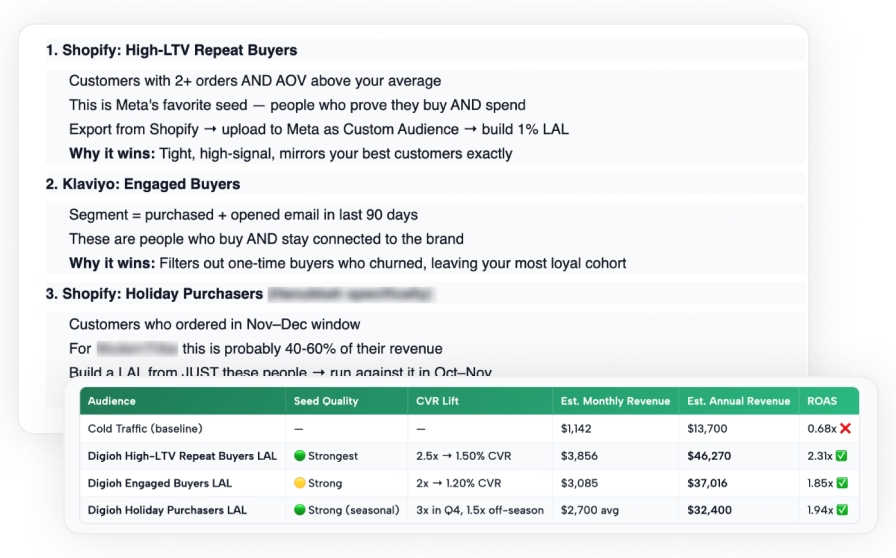
Once connected, the Agent can read your ad campaigns and performance, and it can build Custom and Lookalike Audiences from your Digioh data. That means audiences built from quiz takers, high-intent shoppers, VIP customers, or specific product interests.
Here are a few use cases:
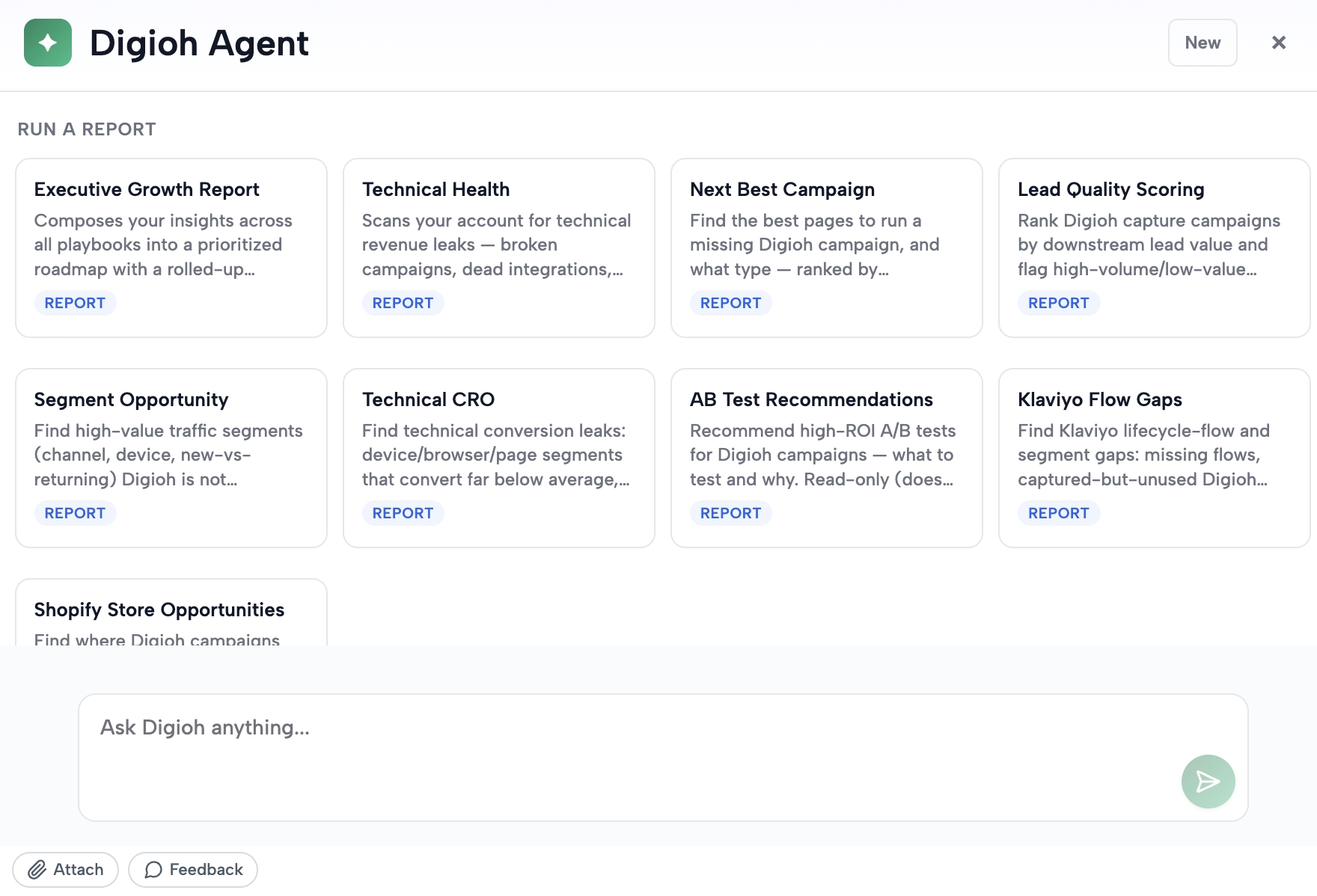
We’ve added a lot of new capabilities to the Agent since we launched it into beta: direct connections to GA4, Klaviyo, and Shopify; pre-built reports for things like lead quality and A/B test recommendations; the ability to read uploaded images, PDFs, and spreadsheets; and now Meta.
We’re not slowing down. Our team has been testing an early "create mode" inside the Agent, and an AI editor is coming that will let you build, edit, and launch Digioh campaigns with a prompt, while still giving you control to customize everything.
The Digioh Agent is still in beta. If you’re a customer and want access, reach out to support@digioh.com.
If you're in a shared Slack channel with our team, you can now tag @Digioh Help directly and ask it a question. Here’s the help doc if you want to learn more.
It runs on the same technology as our help chatbot and is trained on our documentation and playbooks. It can help with setup questions, troubleshooting, and the "where do I find this setting" type of questions.
Digioh Help is great for quick, self-serve answers. It's not a replacement for your Customer Success Manager or our support team. For anything urgent or account-specific, we still recommend reaching out to your CSM directly first, or you can ask Digioh Help to create a support ticket and our team will pick it up.
If you’re wondering what the difference is between this and the Digioh Agent: Digioh Help lives in Slack and answers documentation and how-to questions. The Digioh Agent lives in your Digioh account and works from your data to help with strategy and performance (though it can also answer many of these questions).
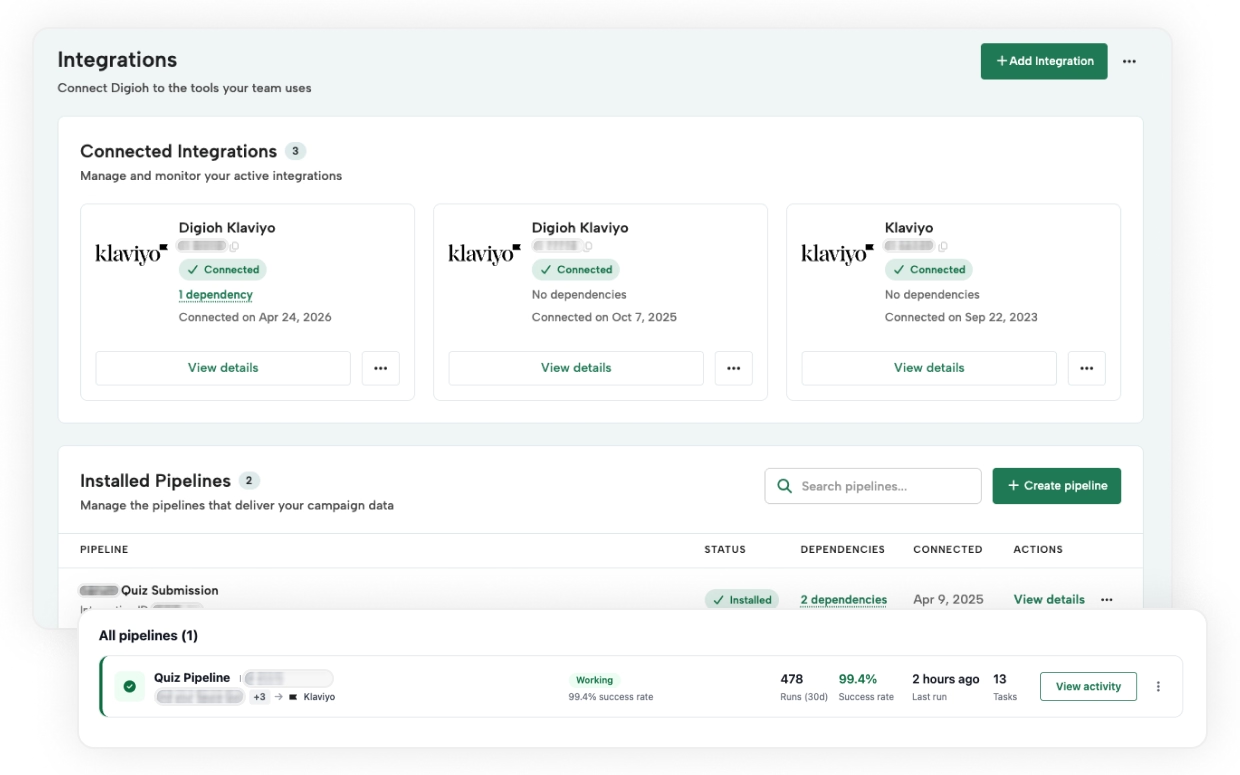
If you're running custom data workflows between Digioh and the rest of your stack, that setup got a lot easier to manage.
There's a new way to see everything running on a schedule in one place, the layout is wider so complex workflows are easier to work in, and you get better visibility into what's active, what's failed, and where data is headed.
Pumpkin spice lattes are back, which can only mean one thing: BFCM planning season is here, too. We know this is the beginning of the busiest time of the year, and we put together a playbook to make it less painful.
The BFCM Conversion Playbook covers 29+ campaign strategies covering list growth, pop-up and quiz personalization, cart recovery, and post-purchase automation.
A few examples of what's inside:
Grab your copy of the playbook here.
As always, if you have questions about any of this or want help getting something set up, reach out to your CSM or email us at support@digioh.com. And if you want to see more of what Digioh can do, take our interactive product tour.
Don’t settle for siloed tools. With Digioh, you get one powerful platform for pop-ups, product quizzes, onsite identification, and more—everything you need to personalize every step of the customer journey. Identify more traffic. Collect more zero-party data. Turn insights into revenue.